
Welcome!

Thank you for joining our group of beta testers! I would like to use this web page to hear your feedback and keep you included in updates and changes. Just comment below (and see comments from other people as well). I’m excited to have you included in this process of making the app! I’ve never done this before so please excuse any mistakes I am making!

I don’t personally have an android phone, so I don’t know what the screens look like or what the download process is like.

I don’t have a way for you to attach pictures in your comments. But you can email them to me if it helps explain any issues you are seeing. Hello@happygiraffe.org

Versions

Build 6 from November – No functionality. We’re just showing what the screens look like. There’s some basic navigation. We’re up to build 20 right now, but the newest one hasn’t been approved yet for everyone to test out.

Build 20 from December 15 – The login works. You can use apple login, Google, or use your email and create your own password. After logging in you are taken through the process of setting up your budget. You can enter amounts here, but you can’t edit them. The Happy Money part of the budget has a slider to set your Happy Money amount. It has checks that are sometimes correct. The instruction screens tell you to swipe through instead of click through. Everything else in the app is just test data.

Build 42 from March – Most things work! This is a big jump from the last version!

Known issues:

I will update this when there are known issues that I have asked the developers to fix.

1) The boxes don’t work perfectly.

Fixed issues:

I’ll move things from known issue to fixed issue when it gets fixed.

Screenshots

I added some screenshots below so you can reference a section of the app.
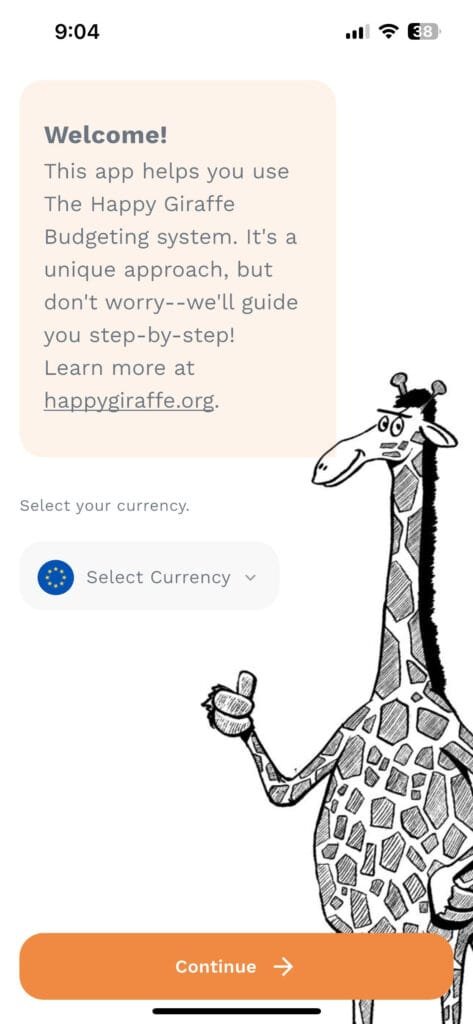
Initial Budgeting Screens:
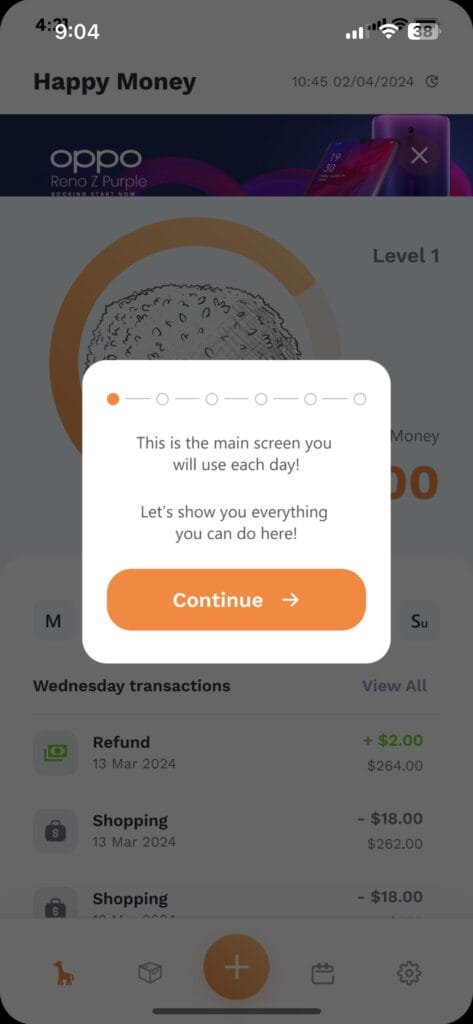
Instruction Screens:

After a new user sets up their initial budget, these screens are to help a new user understand what they can do on the Happy Money screen.
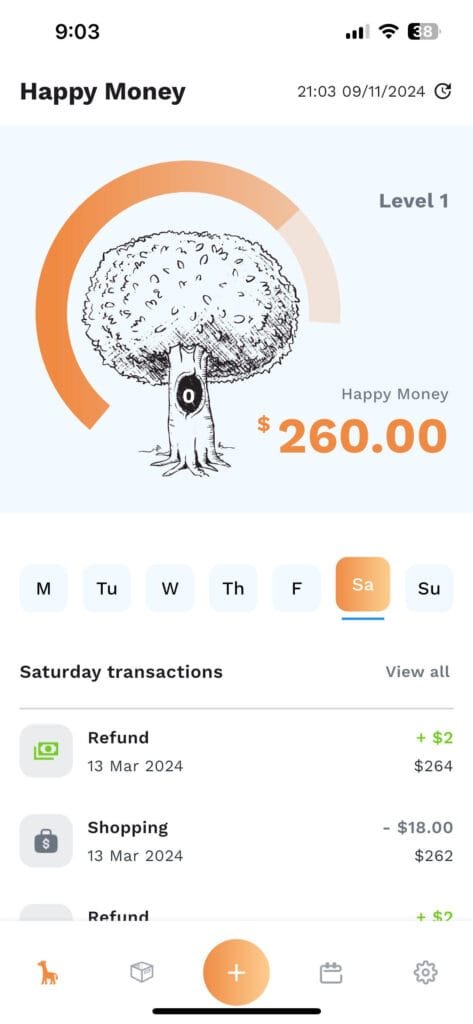
Happy Money Screen:

After you have your budget set up, this will be the main screen users will see anytime they click into the app. This is where you will see your weekly allowance and enter daily transactions.
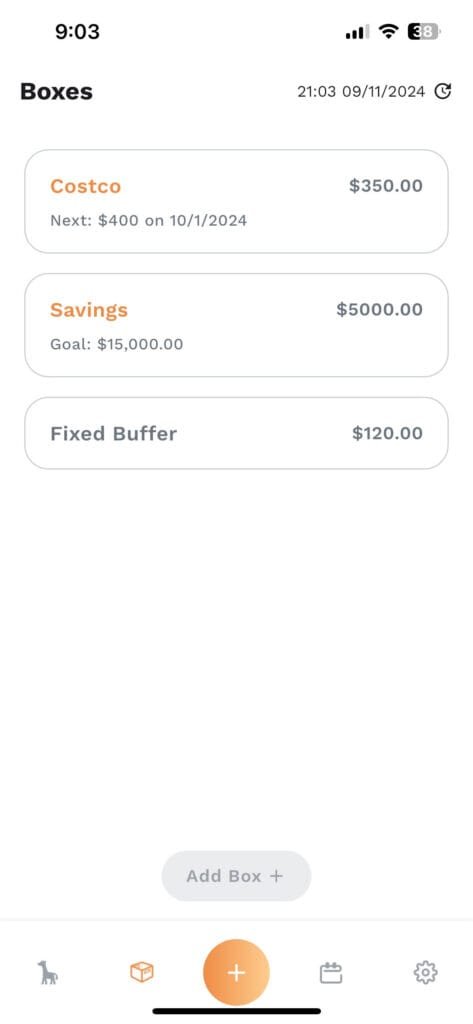
Boxes:

When you set up your budget, most income and fixed expenses will go into a box called “Fixed”. To keep with the Happy Giraffe story we are calling a grouping or envelope a “box”. You have the option of tracking items in a different box. This is where you will see those other boxes. I’ll explain the fixed buffer in the next section.
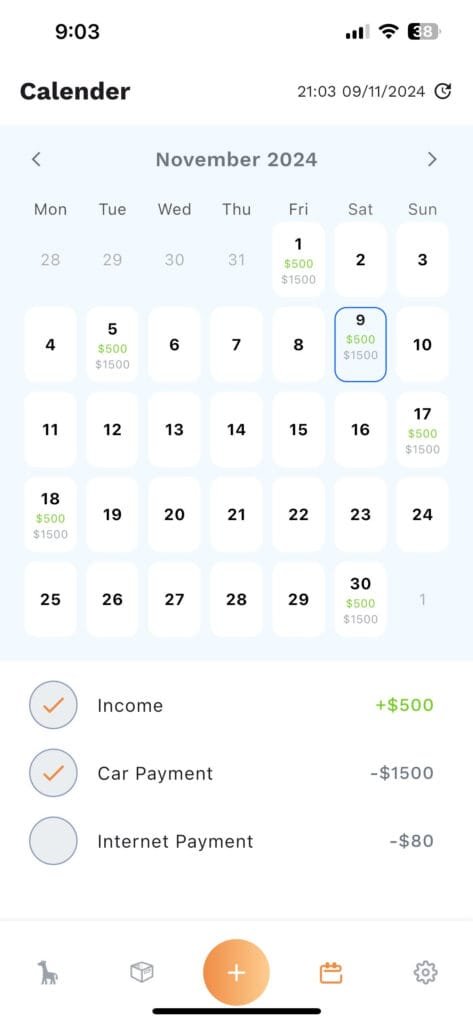
Calendar:

All of your items in the box called fixed will show up on this calendar. It will have the next 2 years of transactions listed out. On the day an item is supposed to happen, you will click on the big empty circle next to it and enter the actual amount. Any difference, positive or negative, will end up in the fixed buffer box you saw earlier.
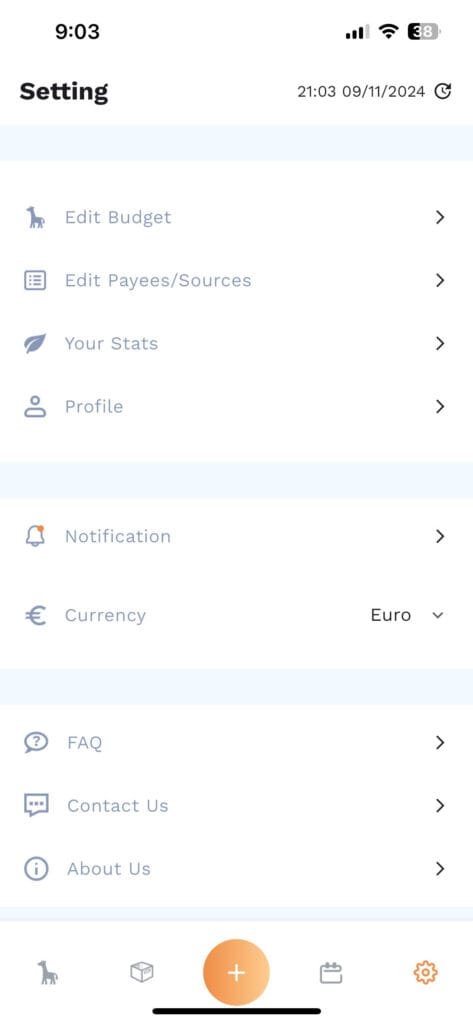
Settings:

Here you can change different settings, see your stats, edit your budget, all the extra fun things.

6 responses

  1. Rene O Avatar
    Rene O

    App looks awesome! I love the calendar feature, and I think everything looks really clean.

    1. nigelbloomfield Avatar
      nigelbloomfield

      Thanks Rene! I’m excited about the calendar! Most people that want to plan out their income and expenses in the future on a calendar have to do it manually. Ours should do it all automatically! I’m hoping that will be helpful to see everything coming up.

  2. Adrian Chorlton Avatar
    Adrian Chorlton

    Great idea to create an app. Will this connect via the cloud with excel? Could there be, for instance, a OneDrive link. A few points I’ve noticed. I can’t save a fixed income. Currency symbol seems stuck on Euros, can’t change it to GBP. Boxes are fine but maybe jars or my banking app calls them pockets which is quite good. When you click fferent fields it is not clear that they are selected – maybe a highlight of some kind? Not clear where to set the different frequencies. In notifications the text exceeds the box limit. I would like to be able to easily move from one screen to another.

    Many of these may be irrelevant as you have not yet enabled all functionality.

    Good luck with the development!!

    1. nigelbloomfield Avatar
      nigelbloomfield

      At the moment these are just the way the screens will look. There isn’t any functionality yet. So hopefully that will solve some of the issues you saw!
      I know we want the app to be able to connect to a bank in future versions. I hadn’t thought of connecting it to excel or a spreadsheet on a shared drive of some kind. What would that connection to Excel help you do? We are going to have an export feature. It’s listed in the settings right now. That might help you do something similar. So let me know what you wanted to do with the onedrive link and I’ll see what we can do!

  3. K Steward Avatar
    K Steward

    I’m so excited about this! Everything is looking great! The only thing I had a little trouble with was setting up our income. My husband gets paid on the 8th and 21st while I get paid on the 15th and the last day of the month. It’s an unusual schedule and doesn’t quite fit into the “every two weeks” option. I can get around it by adding each paycheck individually and setting it as a monthly paycheck but maybe a “custom” option for income would be helpful?

    1. nigelbloomfield Avatar
      nigelbloomfield

      Thank you for looking at it and trying it out! I like the idea of a custom option! I don’t know what that would look like, but I have had the same issue you had with a few other people as well. I usually suggest handling it like you did, as 2 monthly items on the 2 different dates. It technically works, but I like the idea of something better for the app!

Leave a Reply

Your email address will not be published. Required fields are marked *

Main Giraffe for The Happy Giraffe Budget with thumbs up budget happy

Your spreadsheet downloaded!

We want you to be successful and budget happy!

We built a series of emails and videos to walk you through the system at an easy pace. 

We’ll even give you a free month as a Treetop Donor in our app in one of the emails as a thank you for actually giving this a real shot.