
Welcome!
Thank you for joining our group of beta testers! I would like to use this web page to hear your feedback and keep you included in updates and changes. Just comment below (and see comments from other people as well). I’m excited to have you included in this process of making the app! I’ve never done this before so please excuse any mistakes I am making!
I don’t personally have an android phone, so I don’t know what the screens look like or what the download process is like.
I don’t have a way for you to attach pictures in your comments. But you can email them to me if it helps explain any issues you are seeing. Hello@happygiraffe.org
Versions
Build 6 from November – No functionality. We’re just showing what the screens look like. There’s some basic navigation. We’re up to build 20 right now, but the newest one hasn’t been approved yet for everyone to test out.
Build 20 from December 15 – The login works. You can use apple login, Google, or use your email and create your own password. After logging in you are taken through the process of setting up your budget. You can enter amounts here, but you can’t edit them. The Happy Money part of the budget has a slider to set your Happy Money amount. It has checks that are sometimes correct. The instruction screens tell you to swipe through instead of click through. Everything else in the app is just test data.
Build 42 from March – Most things work! This is a big jump from the last version!
Known issues:
I will update this when there are known issues that I have asked the developers to fix.
1) The boxes don’t work perfectly.
Fixed issues:
I’ll move things from known issue to fixed issue when it gets fixed.
Screenshots
I added some screenshots below so you can reference a section of the app.
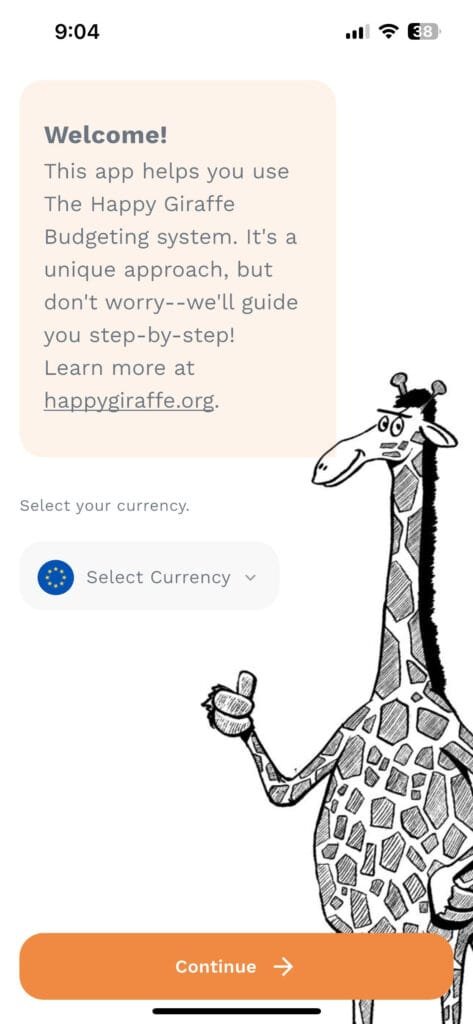
Initial Budgeting Screens:
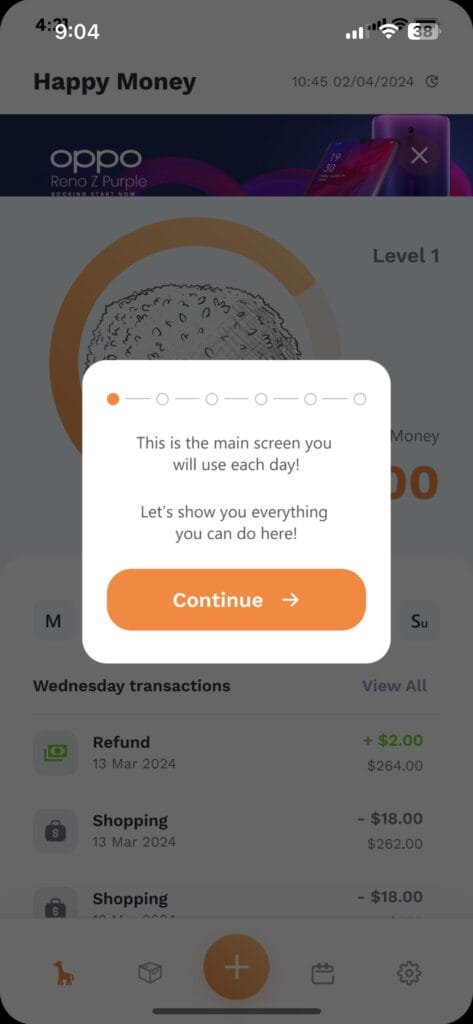
Instruction Screens:
After a new user sets up their initial budget, these screens are to help a new user understand what they can do on the Happy Money screen.
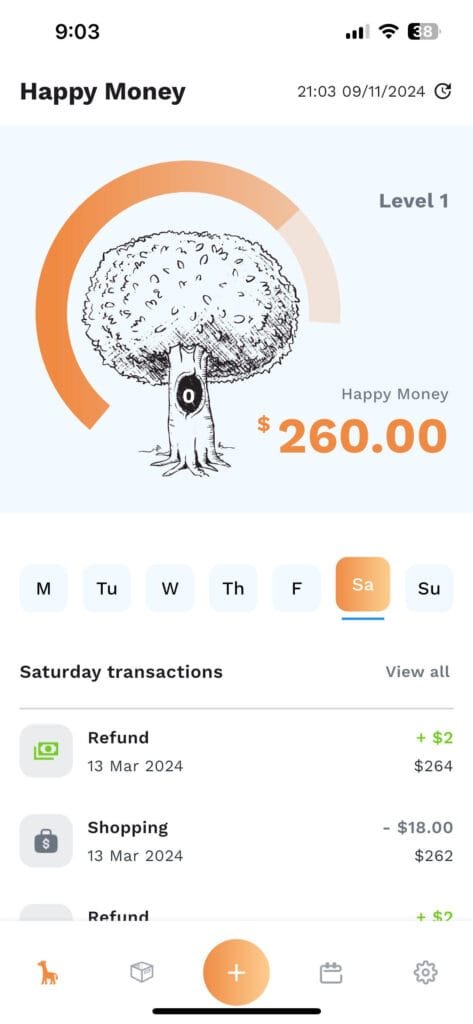
Happy Money Screen:
After you have your budget set up, this will be the main screen users will see anytime they click into the app. This is where you will see your weekly allowance and enter daily transactions.
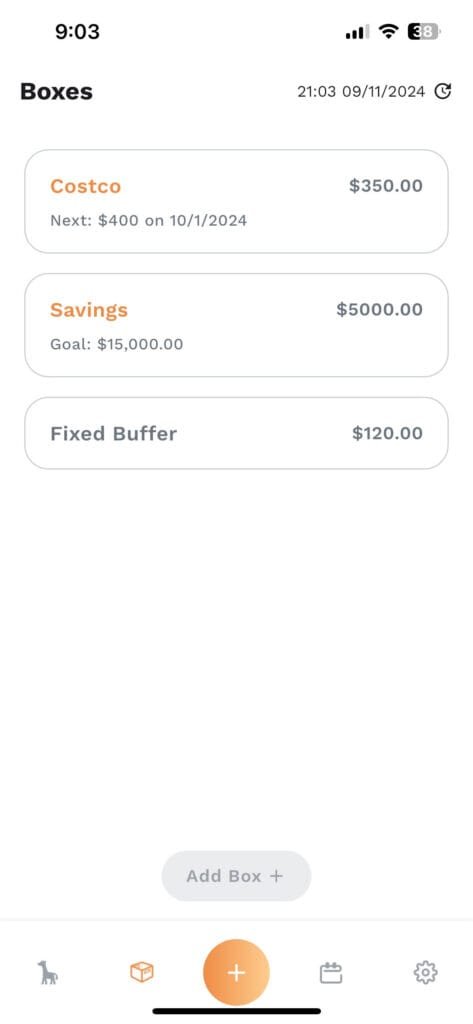
Boxes:
When you set up your budget, most income and fixed expenses will go into a box called “Fixed”. To keep with the Happy Giraffe story we are calling a grouping or envelope a “box”. You have the option of tracking items in a different box. This is where you will see those other boxes. I’ll explain the fixed buffer in the next section.
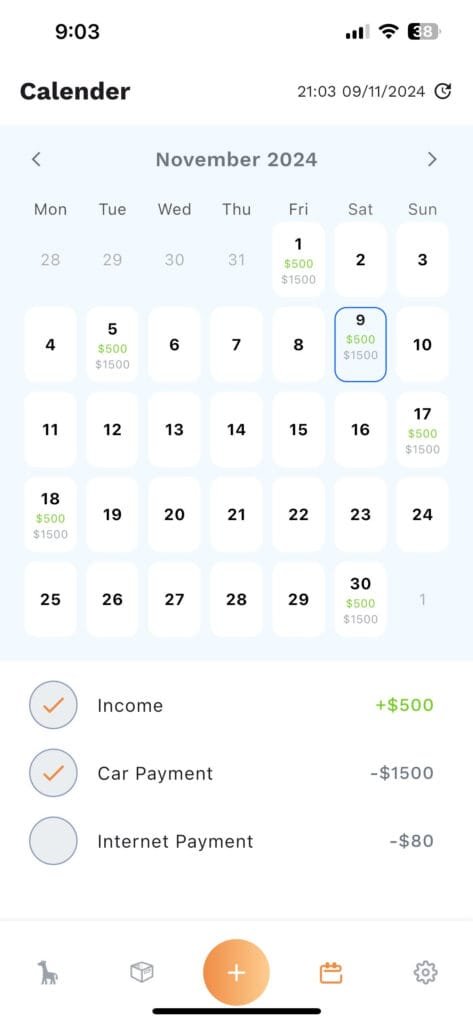
Calendar:
All of your items in the box called fixed will show up on this calendar. It will have the next 2 years of transactions listed out. On the day an item is supposed to happen, you will click on the big empty circle next to it and enter the actual amount. Any difference, positive or negative, will end up in the fixed buffer box you saw earlier.
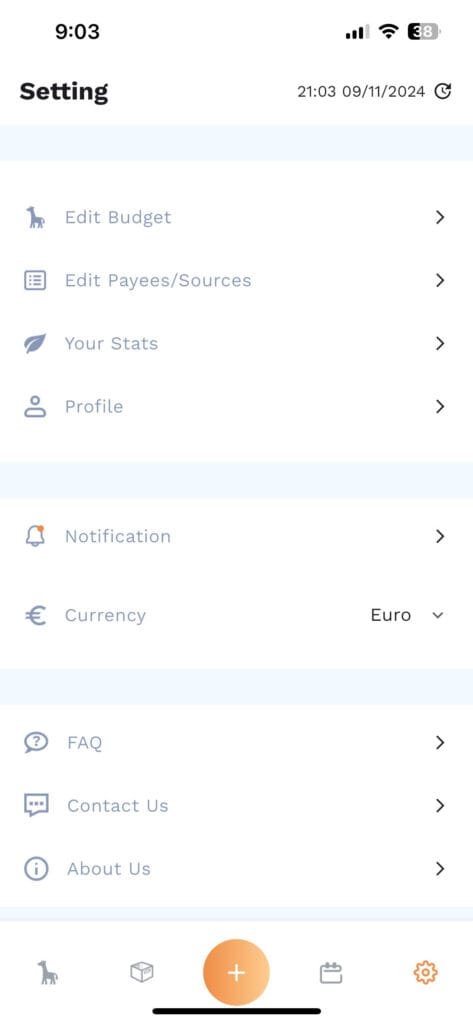
Settings:
Here you can change different settings, see your stats, edit your budget, all the extra fun things.



Leave a Reply